




Most people assume containerised hosting is just another name for a virtual private server with Docker slapped on top. It isn’t. The confusion is understandable, but conflating the two leads to real architectural mistakes. What does containerised hosting mean, exactly? It means packaging your application’s code, runtime, libraries, and configuration into a single, self-contained unit that runs in isolation on a shared operating system kernel. No bloated guest OS. No wasted RAM. Just your application, running predictably wherever the container is placed.
Table of Contents
- Key takeaways
- What containerised hosting actually means
- Benefits of container hosting worth knowing
- Container hosting vs traditional hosting
- Implementing containerised hosting in practice
- My take on containerised hosting
- Ready to build on the right hosting foundation?
- FAQ
Key takeaways
| Point | Details |
|---|---|
| Containers share the host OS kernel | Unlike VMs, containers avoid full guest OS overhead, making them faster and more resource-efficient. |
| Portability is a defining advantage | A container runs identically in development, staging, and production without environment-specific surprises. |
| Orchestration is non-negotiable in production | Tools like Kubernetes manage scaling, networking, and lifecycle; skipping them adds serious complexity. |
| Stateful workloads need extra planning | Databases and persistent apps require explicit volume and replication strategies, not assumed by default. |
| Container hosting outperforms shared hosting | Isolation at the process level protects neighbours from traffic spikes and security incidents. |
What containerised hosting actually means
At its core, a container is a lightweight virtualisation unit that packages application code alongside its dependencies and runtime configuration. Unlike a virtual machine, a container does not carry its own operating system. Instead, it shares the host machine’s OS kernel while maintaining strict logical separation through Linux namespaces and control groups, known as cgroups.
Think of it this way. A virtual machine is like renting an entire house. You get the walls, the plumbing, the electrical wiring, and your own front door. A container is more like renting a serviced apartment in a high-rise. The building’s infrastructure is shared, but your space is entirely your own.
Here is what a container actually bundles:
- Application source code and compiled binaries
- Runtime environment (Node.js, Python, PHP, and so on)
- System libraries and environment variables
- Configuration files specific to that application
This self-contained packaging is the container hosting definition in practice. When you deploy that container, it behaves identically regardless of whether it lands on your laptop, a test server, or a cloud production environment.
There is an important distinction worth knowing. Managed container platforms like Google Cloud Run or Azure Container Apps handle orchestration, networking, and scaling automatically. Self-managed Docker hosting on a VPS gives you control but puts every operational responsibility back on you. For most businesses without a dedicated DevOps team, managed platforms eliminate enormous overhead.
Pro Tip: If you are evaluating container hosting for the first time, start with a managed platform rather than self-hosting Docker on a VPS. The learning curve is significantly lower, and you can focus on your application rather than the infrastructure beneath it.
Benefits of container hosting worth knowing
The efficiency gains from containerisation are not incremental. Because containers share the host OS kernel, you can run up to ten times more containers per server compared to traditional virtual machines. That translates directly to lower infrastructure costs and better compute utilisation.
Beyond density, consider these concrete advantages:
- Portability: A container image built on your development machine deploys to production without modification. No more “it works on my machine” debugging sessions.
- Speed: Containers start in seconds rather than the minutes a VM needs to boot a full guest OS. This matters enormously for auto-scaling during traffic spikes.
- Isolation: Process-level isolation means a compromised or overloaded container does not drag down its neighbours. Traditional shared hosting offers no such guarantee.
- Rollbacks: Updating a containerised application means swapping one image for another. If something breaks, you revert to the previous image in moments.
- CI/CD compatibility: Containers slot naturally into continuous integration and delivery pipelines, making automated testing and deployment far simpler to implement.
The one area deserving honest attention is orchestration complexity. Operational benefits depend heavily on strong automation practices. Without proper orchestration, managing dozens of containers across multiple hosts becomes a manual, error-prone process. This is a solvable problem, but it requires upfront investment in tooling and skills.
Pro Tip: Treat your containers as ephemeral from day one. If your application design assumes a container will always be running at a specific IP address, you are building against the grain of how containers work. Design for failure and let orchestration handle recovery.
Container hosting vs traditional hosting
Understanding where containerised hosting fits requires an honest look at the other options available. Each hosting model makes different tradeoffs.
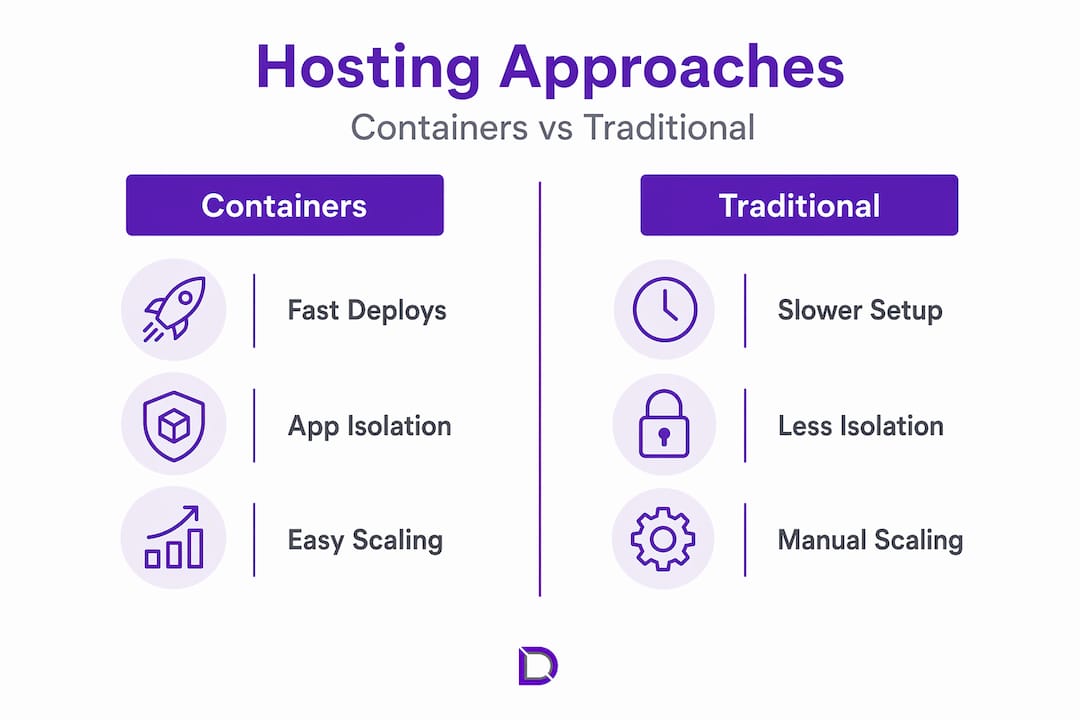
Traditional shared hosting puts multiple websites on a single server with no meaningful isolation. One account consuming excessive resources affects every other site on that machine. Security is a genuine concern. A vulnerability in one account can potentially expose others.
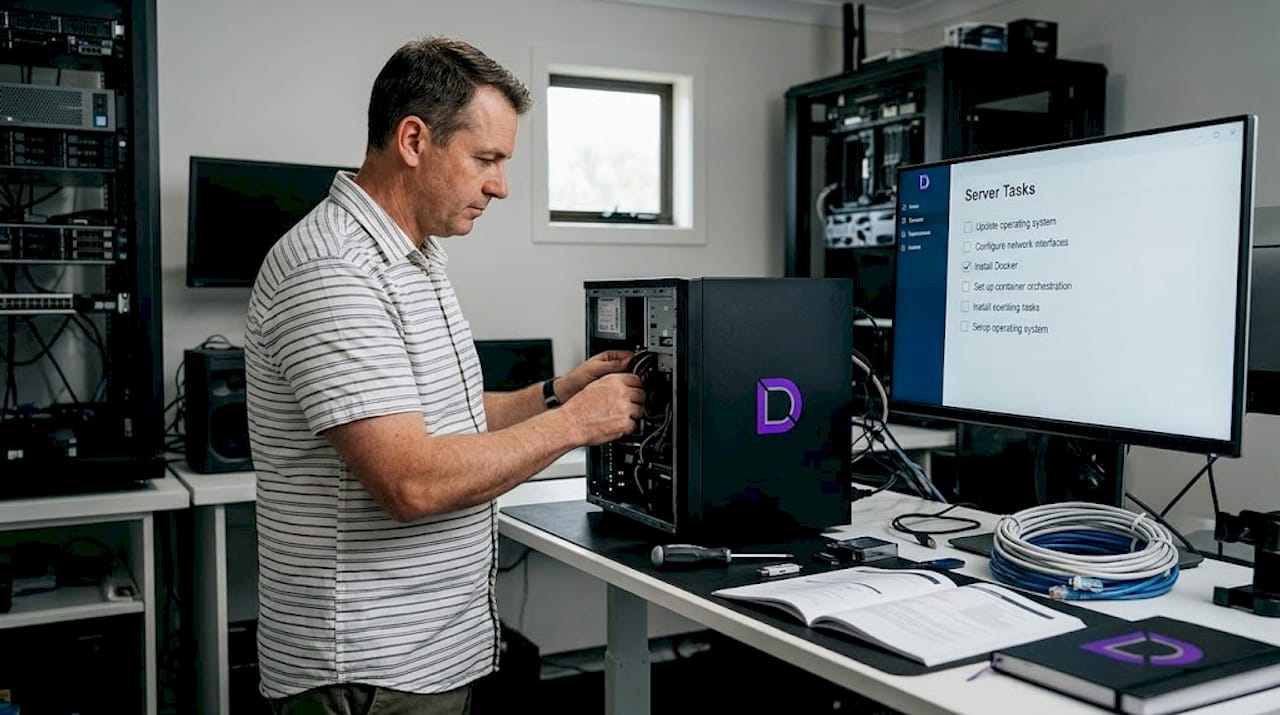
A VPS with manual Docker hosting is a step forward. You get dedicated resources and root access, which means you can install Docker and run containers yourself. The problem is operational overhead. You are responsible for OS updates, security patching, networking, and monitoring. You gain control but inherit significant maintenance burden.
Virtual machines offer strong isolation because each VM runs a full guest OS on virtualised hardware. That isolation comes at a cost. Boot times are measured in minutes, resource consumption is high, and density per host is low. VMs make sense when you need hardware-level separation, particularly for compliance or multi-tenant security requirements.
Here is how the models compare directly:
| Hosting type | Isolation level | Resource usage | Startup time | Management complexity |
|---|---|---|---|---|
| Shared hosting | None | Low | Immediate | Low |
| VPS (no containers) | OS-level | Medium | Minutes | Medium |
| Virtual machine | Hardware-level | High | Minutes | High |
| Containerised hosting | Process-level | Low to medium | Seconds | Medium to high |
| Managed container platform | Process-level | Low to medium | Seconds | Low |
One nuanced option worth noting: hybrid models combining containers inside VMs are common in enterprise environments. You get the security boundaries of a VM with the efficiency and portability of containers layered on top. Many organisations settle on this architecture to satisfy both security teams and development teams simultaneously.
For most small-to-medium Australian businesses, the practical answer comes down to whether you need the control of a VPS or the reduced operational burden of a managed hosting environment.
Implementing containerised hosting in practice
Getting containerised hosting right in a production setting involves more than choosing Docker and calling it done. There are real architectural decisions that determine whether the implementation succeeds.
The most critical decision is orchestration. What is container orchestration? It is the automated management of container deployment, scaling, networking, and lifecycle across a cluster of machines. Kubernetes is the dominant platform, but AWS ECS, Google Cloud Run, and Azure Container Apps offer managed alternatives that abstract much of the Kubernetes complexity away. Without orchestrators, managing production container workloads adds operational overhead and security risk that quickly negates the benefits.
Follow this sequence when planning an implementation:
- Audit your applications. Identify which workloads are stateless and which are stateful. Stateless apps like web servers and API services containerise cleanly. Stateful apps like databases need additional consideration.
- Plan persistent storage explicitly. Stateful containers require persistent volumes and replication strategies. Container runtimes do not handle this automatically. Skipping this step means data loss when a container restarts.
- Choose your orchestration layer. For teams without dedicated infrastructure engineers, a managed platform is preferable. For organisations with DevOps capability, Kubernetes offers the most control.
- Integrate with your CI/CD pipeline. Container images should be built, tested, and pushed to a registry automatically on each code commit. This is where the portability benefit becomes tangible in daily development workflow.
- Establish monitoring and logging from the start. Container environments generate significantly more signals than traditional servers. Tools like Prometheus, Grafana, or cloud-native equivalents need to be configured before you need them, not after an incident.
For IT managers, the financial case for containers is clearest in organisations that deploy frequently, need to scale rapidly, or run many small services. For business owners, the relevant question is whether your current hosting architecture can grow with demand without manual intervention at each step.
Pro Tip: Security in containerised environments requires specific attention to image scanning. Only use base images from trusted registries, and integrate automated vulnerability scanning into your build pipeline before images reach production.
My take on containerised hosting
I’ve spent years watching organisations adopt containerisation with enormous enthusiasm and, sometimes, disappointing results. The technology is genuinely powerful. My concern is that “containerise everything” has become a reflex rather than a considered decision.
What I’ve found consistently is this: containerised hosting delivers its full benefits when the application architecture is designed with it in mind. Lifting an old monolithic application into a container and deploying it the same way you deployed it before does not unlock the benefits. You get the complexity without the payoff.
The honest truth about the benefits of container hosting is that they are real, but they are conditional. Teams with strong automation practices and clear operational ownership see genuine efficiency gains, faster deployments, and lower costs. Teams that treat containers as a drop-in replacement for their existing server setup often find themselves managing more moving parts for the same outcome.
I’ve also seen hybrid environments work exceptionally well for businesses that need compliance-grade isolation but want container-level deployment speed. It is not always an either/or choice. The nuanced architecture often outperforms the theoretically pure one.
My recommendation: adopt containerised hosting with a clear purpose, invest in orchestration from the outset, and resist the urge to containerise everything at once. Start with a single well-defined service, learn from it, then expand. Containerisation is now central to modern software delivery, and for good reason. But like any powerful tool, it rewards deliberate use.
— James
Ready to build on the right hosting foundation?
If containerised hosting has your attention, the next step is making sure your web infrastructure can actually support it. At Com, we work with Australian businesses to help them find hosting plans that match their technical needs and growth ambitions, without the jargon or the guesswork.
Whether you are running a growing e-commerce store, a client portal, or a web application that needs reliable uptime and room to scale, the foundation matters. Our team provides personalised local support so you are never left navigating infrastructure questions on your own. Explore managed hosting options suited for businesses ready to move beyond shared hosting limitations. And if you are starting from scratch or consolidating your online presence, our domain management services give you everything in one place, backed by people who understand the Australian market.
FAQ
What does containerised hosting mean in simple terms?
Containerised hosting runs your application inside a self-contained unit called a container, which packages the code, dependencies, and runtime together. Containers share the host OS kernel but stay isolated from each other, making them faster and more efficient than traditional virtual machines.
How does containerised hosting differ from shared hosting?
Shared hosting places multiple websites on one server with no isolation between accounts. Containerised hosting gives each application its own isolated environment, so one site’s traffic spike or security issue does not affect others on the same host.
What is container orchestration and why does it matter?
Container orchestration is the automated management of container deployment, scaling, networking, and health across a cluster. Tools like Kubernetes handle this automatically. Without orchestration, running containers at scale in production creates serious operational and security challenges.
Is containerised hosting suitable for small businesses?
Yes, particularly through managed container platforms that remove the need to configure infrastructure manually. Small businesses benefit from portability, faster deployments, and better resource efficiency without requiring a dedicated DevOps team when using a managed service.
What is the difference between a container and a virtual machine?
A virtual machine runs a full guest operating system on virtualised hardware, consuming significant resources. A container shares the host OS kernel and uses namespaces and cgroups for isolation, resulting in faster startup times, lower resource usage, and higher density per server.
Leave a Reply