


A database-driven website is defined as a dynamic site that generates web pages in real time by querying a database, rather than serving fixed files to every visitor. This architecture is the industry standard term for what many developers call a “dynamic website,” and the two terms are used interchangeably throughout this guide. Unlike a static site, which delivers identical HTML to every person who visits, a database-driven site pulls content from a structured data store, assembles it into a page, and sends a personalised response. Technologies like MySQL, PostgreSQL, PHP, and JavaScript power the majority of these sites today. Understanding this model is the foundation for every business owner or developer who wants a website that can grow, personalise, and respond to users at scale.
What is a database-driven website and how does it differ from static sites?
A database-driven website dynamically generates pages by querying a database for information to create personalised content for each visitor. That single capability separates it from every static site on the web.
A static website stores finished HTML files on a server. Every visitor receives the exact same file, regardless of who they are, where they are located, or what they have done on the site before. Changing one piece of content means editing a file manually and re-uploading it. For a five-page brochure site, that is manageable. For a site with hundreds of products, articles, or user accounts, it becomes unworkable.

A database-driven site stores content separately from the page template. The template defines the layout, and the database holds the content. When a visitor arrives, the site combines the two on the fly. This means you can update a product price in one place and have it appear correctly across every page that references it, instantly.
The practical difference is significant for business owners. A static site requires a developer to change almost anything. A database-driven site lets non-technical staff update content through an admin interface, without touching code.
How do database-driven websites work behind the scenes?
The process that delivers a dynamic page to a visitor happens in milliseconds and involves three distinct layers working in sequence.
-
The browser sends a request. A visitor types a URL or clicks a link. Their browser sends an HTTP request to a web server, asking for a specific page.
-
The web server receives and routes the request. The web server, such as Apache or Nginx, receives the request. It recognises that the page requires dynamic content and passes the request to the application layer.
-
The application layer processes business logic. The application layer, written in a language like PHP, Python, or Node.js, reads the request and determines what data is needed. It then sends a query to the database server.
-
The database responds with structured data. The database, such as MySQL or PostgreSQL, processes the query and returns the relevant records. This might be a list of products, a user’s account details, or a set of recent articles.
-
The application assembles the page. The application layer takes the data returned by the database and inserts it into the page template. The result is a complete HTML document.
-
The web server delivers the response. The finished HTML is sent back to the visitor’s browser, which renders it as the page they see.
Proper separation of these three layers is critical for scalable and maintainable sites. Mixing responsibilities across layers is one of the most common causes of performance problems as traffic grows. Keeping the web server, application logic, and database each focused on their own role makes the system far easier to debug and extend.
What are the key advantages of database-driven websites?
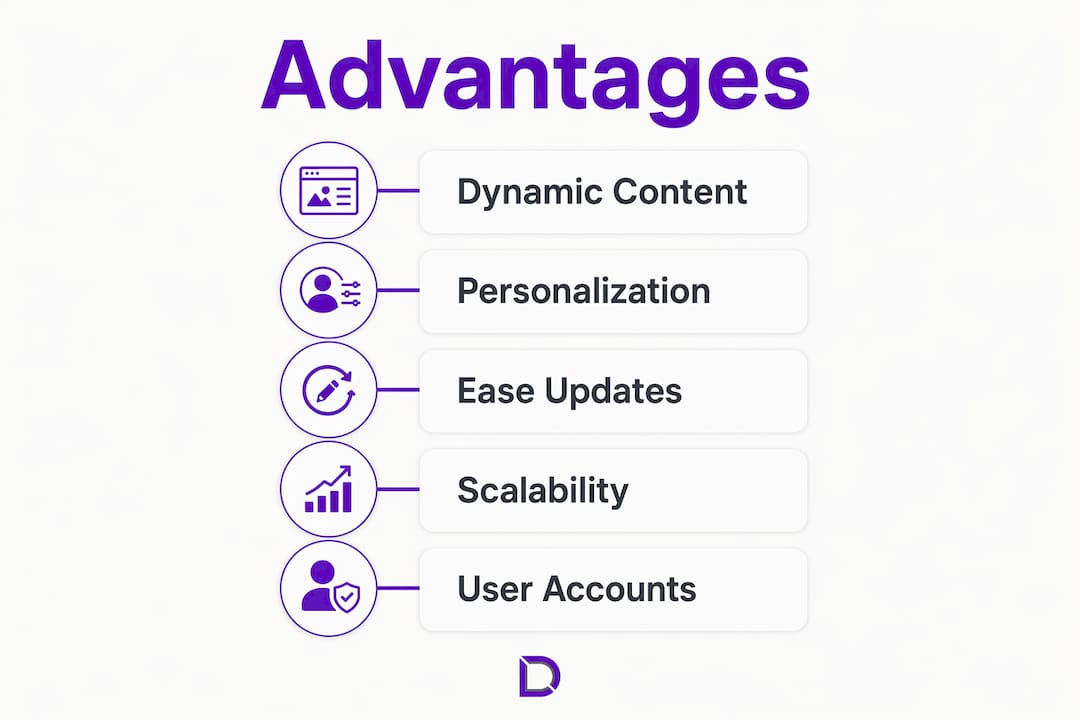
Transitioning to a database-driven model reduces manual updates by automating content changes and supports interactive features like user logins and e-commerce carts. The operational gains are real and measurable for any business running more than a handful of pages.
The core advantages include:
- Real-time content updates. Change a price, publish an article, or update a staff profile once in the database. Every page that displays that content updates automatically.
- Personalised content delivery. The site can serve different content based on a visitor’s location, account history, or preferences. Region-specific pricing and personalised product recommendations are both standard capabilities.
- Support for complex user interactions. User registration, login systems, shopping carts, booking forms, and saved preferences all require a database. None of these features are possible on a purely static site.
- Reduced operational overhead. Non-technical staff can manage content through a content management system (CMS) without developer involvement. This cuts the cost and time of routine updates.
- Dynamic inventory and pricing displays. An e-commerce site can show live stock levels and adjust prices automatically, without anyone manually editing a page.
Pro Tip: If your business updates content more than once a week, or if you plan to add user accounts or e-commerce, a database-driven site will save you significant time and money within the first year.
The personalisation capability deserves particular attention. A static site treats every visitor identically. A database-driven site can recognise a returning customer, display their previous orders, and recommend products based on their history. That level of relevance directly affects conversion rates.
What architecture and best practices support scalability?
Good architecture is what separates a database-driven site that handles ten visitors from one that handles ten thousand. The decisions made early in a project determine how much pain you experience later.
Separate your layers clearly
Maintaining clear separation between the web server, application logic, and database improves scalability and simplifies debugging. When these layers are tangled together, fixing one problem often creates another. Treat each layer as an independent component with a defined interface.
Use connection pooling
Connection pooling prevents database connection exhaustion under high traffic. Without pooling, every HTTP request opens a new connection to the database. Under load, this rapidly exhausts the database’s connection limit and causes the site to crash. Tools like PgBouncer for PostgreSQL manage and reuse connections efficiently, keeping the database stable under pressure.
Plan for read replicas
Read-only replicas offload query traffic from the primary database, improving performance for read-heavy sites. Most websites read data far more often than they write it. Directing read queries to a replica and write queries to the primary database significantly increases throughput. The trade-off is replication lag: a replica may be milliseconds behind the primary, which requires careful planning for features where consistency is critical.
Choose the right database type
The choice between relational and NoSQL databases shapes every other architectural decision.
| Scenario | Recommended database type | Reason |
|---|---|---|
| E-commerce transactions | Relational (MySQL, PostgreSQL) | ACID compliance ensures data integrity |
| User profiles and flexible data | NoSQL (MongoDB, DynamoDB) | Flexible schema handles evolving data structures |
| Content management | Relational | Structured relationships between content types |
| Real-time analytics | NoSQL | High write throughput and horizontal scaling |
Relational databases suit structured, transaction-heavy data requiring ACID compliance. NoSQL databases suit flexible or rapidly evolving data. Neither is universally superior. The right choice depends on what your data looks like and how your application uses it.
Pro Tip: Monitor database query performance from day one of development, not after launch. Identifying slow queries early costs far less than fixing them under production load.
Monitoring real user traffic and database performance throughout development helps identify scaling needs before bottlenecks affect the visitor experience. Instrumentation is not optional. It is the only way to know where your system is struggling before your visitors tell you.
For businesses considering scalable hosting architectures, the infrastructure layer matters as much as the code. A well-written application on underpowered hosting will still underperform.
Where do database-driven websites excel in practice?
Database-driven websites excel in scenarios requiring dynamic product listings, user authentication, personalised content, and frequent content updates. The use cases below represent the most common and highest-value applications.
- E-commerce sites. Product catalogues with hundreds or thousands of items, live stock levels, dynamic pricing, and shopping carts are all database-dependent. A static site cannot support any of these features reliably.
- Customer portals. Businesses that give clients access to their own account data, invoices, or service history need a database to store and retrieve that information per user.
- Content management systems. Platforms like WordPress use a database to store every post, page, comment, and setting. Editors publish content through an interface, and the database handles the rest. WordPress hosting is specifically configured to support this architecture.
- Business websites with forms and CRM integration. Contact forms, quote requests, and lead capture tools all write data to a database. Connecting that data to a CRM system requires a database-driven backend.
- News and blog sites. A publication that posts multiple articles per day cannot manage that volume through static files. The database stores every article, author, category, and tag, and the site assembles the right combination for each page request.
Modern web application architecture typically includes CDN layers, load balancers, application servers, caches, and databases working together to deliver dynamic content efficiently. Even a modest business website benefits from understanding this stack, because each component affects speed, reliability, and cost.
Key takeaways
A database-driven website is the right architecture for any business that needs to update content regularly, personalise the visitor experience, or support user interactions beyond simple page views.
| Point | Details |
|---|---|
| Core definition | A database-driven site generates pages in real time by querying a database, not serving fixed files. |
| Three-layer architecture | Web server, application logic, and database must stay clearly separated for the site to scale. |
| Connection pooling matters | Without connection pooling, high traffic will exhaust database connections and crash the site. |
| Database type selection | Choose relational databases for transactions and NoSQL for flexible, rapidly changing data. |
| Practical use cases | E-commerce, customer portals, CMS platforms, and news sites all depend on database-driven architecture. |
Why I think most business owners underestimate this decision
Most business owners treat the choice between a static and a database-driven site as a technical detail. It is not. It is a business decision with long-term consequences.
I have seen businesses launch static sites because they were cheaper and faster to build, only to spend far more money six months later migrating to a database-driven platform when they needed a login system or a product catalogue. The migration cost, including data transfer, redesign, and developer time, almost always exceeds what a proper database-driven build would have cost from the start.
The other mistake I see regularly is treating the database as an afterthought. Developers build the application first and bolt on the database structure later. This produces messy schemas, slow queries, and sites that cannot scale without a significant rewrite. The database design should happen before the first line of application code is written.
The businesses that get this right share one habit: they involve both technical and non-technical stakeholders in the architecture conversation early. A developer knows what is possible. A business owner knows what the site needs to do in three years. Neither perspective alone produces a good outcome.
Performance monitoring is the other area where I consistently see teams cut corners. Launching without instrumentation means you are flying blind. You will not know your database is struggling until visitors start complaining. Tools that track query response times and connection counts from day one give you the data to make good decisions before problems become crises.
— James
Ready to build your database-driven site with Com?
Building a database-driven website starts with the right infrastructure underneath it. Com provides Australian businesses with professional web hosting built to support dynamic, database-backed sites, with local support from a team that understands the specific needs of Australian businesses.
Whether you are starting from scratch or moving from a static site, Com’s website design services cover the full build, from database architecture to front-end design. The team works with you to match the technical setup to your business goals, not the other way around. Reach out to Com to talk through your requirements and get your database-driven site built on infrastructure that can grow with you.
FAQ
What is the difference between a static and a database-driven website?
A static website serves identical HTML files to every visitor. A database-driven website generates pages in real time by querying a database, allowing personalised content and dynamic features like user logins and e-commerce carts.
Do I need a database-driven website for my small business?
If your site needs regular content updates, user accounts, contact forms connected to a CRM, or an online shop, a database-driven site is the right choice. A static site suits simple brochure sites with content that rarely changes.
What databases are commonly used for dynamic websites?
MySQL and PostgreSQL are the most widely used relational databases for web applications. NoSQL options like MongoDB suit sites with flexible or rapidly changing data structures. The right choice depends on your data and transaction requirements.
What is connection pooling and why does it matter?
Connection pooling reuses existing database connections rather than opening a new one for every page request. Without it, high traffic rapidly exhausts the database’s connection limit, causing the site to become unavailable.
Can I migrate from a static site to a database-driven one?
Migration is possible but requires careful planning, including database schema design, content transfer, and application development. Starting with a database-driven architecture from the beginning is almost always more cost-effective than migrating later.
Leave a Reply