




If you’re a DevOps engineer who thinks CI/CD and web hosting exist in separate worlds, that assumption is costing you deployment reliability. Understanding how CI/CD relates to hosting is not an academic exercise. It’s the difference between a brittle, manual release process and one that ships confidently to any environment. Whether your target is a cloud cluster, a shared cPanel server, or your own on-premises infrastructure, the CI/CD pipeline is what connects your code to where it actually runs.
Table of Contents
- Key takeaways
- CI/CD pipeline fundamentals and deployment
- How hosting environments shape CI/CD pipelines
- GitOps and environment reconciliation
- Measuring hosting outcomes with CI/CD metrics
- Practical tips for implementing CI/CD across hosting setups
- My perspective on CI/CD and hosting
- Hosting built for modern deployment workflows
- FAQ
Key takeaways
| Point | Details |
|---|---|
| CI/CD spans all hosting types | Automated deployment applies equally to cloud, shared, and self-managed hosting environments. |
| Hosting access determines CI/CD strategy | The hosting environment’s ability to expose SSH, APIs, or runners shapes how your pipeline connects to it. |
| Separate CI from CD deliberately | Treating artifact production and environment reconciliation as distinct stages improves governance and rollback capability. |
| GitOps adds drift detection | Declaring desired state in a Git repository lets CD controllers automatically reconcile your hosting cluster. |
| DORA metrics reveal pipeline health | Deployment frequency and change failure rate tell you whether your pipeline is helping or harming hosting stability. |
CI/CD pipeline fundamentals and deployment
Continuous Integration and Continuous Delivery, collectively CI/CD, describe an automated workflow that takes code from a developer’s commit through build, test, and deployment stages without manual intervention at each step. Microsoft’s CI/CD overview describes CI as automated build and test on every code change, with CD handling promotion to staging and production environments. That production environment is your hosting infrastructure, which makes the two disciplines inseparable.
The pipeline stages work in sequence. CI covers integration, where code from multiple contributors merges and is compiled or packaged into a build artifact. Then automated tests run against that artifact to catch regressions before anything touches a server. CD picks up the verified artifact and handles delivery to the target environment, whether that involves uploading files, updating container images, or triggering a Kubernetes rollout.
What actually moves between these stages is the artifact itself: a compiled binary, a Docker image, a zip archive of static files, or a set of deployment manifests. The hosting environment’s job is to receive and run that artifact.
Common tools for building these pipelines include:
- GitHub Actions: event-driven workflows defined in YAML, tightly integrated with GitHub repositories
- GitLab CI/CD: built directly into GitLab with powerful environment and review app support
- Jenkins: self-hosted, highly extensible with thousands of plugins, popular in enterprise settings
- Azure DevOps Pipelines: managed service with strong integration into Azure hosting and release gates
Pro Tip: Start with the simplest pipeline that covers your build and test stages before adding deployment automation. A broken deploy step is easier to diagnose when it is the only thing you added last.
How hosting environments shape CI/CD pipelines
Not all hosting environments offer the same surface area for automation. This is the detail most guides skip, and it explains why a pipeline that works perfectly on AWS can fail completely on a shared host.
Cloud hosting platforms are the most CI/CD-friendly by design. Managed runners can execute directly within the cloud environment, infrastructure as code tools like Terraform or Pulumi can provision resources mid-pipeline, and provider APIs accept deployment instructions programmatically. Cloud CI/CD offers scalability and built-in integrations that remove much of the plumbing work, though at the cost of customisation depth.

Shared hosting presents genuine constraints. There is no container runtime, no API to call, and no way to run a pipeline agent on the host itself. What you do have is SSH access and a filesystem. Building CI/CD for shared hosting via GitHub Actions uses SSH combined with rsync to transfer only changed files directly to the web root, which avoids full file replacement and keeps downtime near zero. It is not elegant, but it works reliably once configured. For a clearer picture of how shared and dedicated environments compare from an infrastructure perspective, the hosting type comparison at Com covers the trade-offs worth knowing.
Self-hosted runners sit in a middle ground. You run the runner agent on your own server or VM, and your CI platform dispatches jobs to it. Self-hosted GitHub Actions runners give you full control over the execution environment, OS, tools, and network access, but they introduce security responsibility, particularly in public repositories where untrusted code could execute on your infrastructure.
| Hosting type | CI/CD access method | Deployment model | Key constraint |
|---|---|---|---|
| Cloud (AWS, GCP, Azure) | Provider APIs, managed runners | Container, serverless, IaC | Cost at scale |
| Shared hosting | SSH and rsync | File sync to web root | No container runtime |
| Self-managed VPS or server | SSH, self-hosted runner | Direct deploy or containerised | Admin and security overhead |
| Kubernetes cluster | kubectl, Helm, CD controllers | Manifest-based, GitOps | Operational complexity |
The common thread across all four is that the relevant factor for CI/CD success is whether the hosting environment exposes any automation-friendly access at all, not whether it is cloud-native.
GitOps and environment reconciliation
GitOps represents a more mature model of the CI/CD and hosting relationship, one where the hosting environment itself becomes a declarative system that continuously reconciles against a desired state stored in Git.
In a GitOps workflow, the separation between CI and CD is explicit and intentional. CI handles building and testing, then updates deployment manifests or image tags in a separate repository. A CD controller, such as ArgoCD or Flux, watches that repository and applies any detected changes to the live hosting cluster automatically. The hosting environment does not receive a push from the pipeline. It pulls from the declared state.
This model delivers several concrete advantages:
- Drift detection: if someone manually changes a resource in the cluster, the CD controller detects the divergence from the manifest and reverts it
- Automated rollback: reverting a deployment means reverting a Git commit, giving you a clean audit trail and a one-command recovery path
- Reproducibility: because the desired state is version-controlled, you can rebuild any historical environment state exactly
- Debugging clarity: production issues become a question of whether the running cluster matches the manifest, which narrows the problem space considerably
Pro Tip: Use a separate Git repository for your deployment manifests and application code. This keeps your release history clean and lets you control who can promote changes to production independently of who can merge application code.
For teams working with containerised hosting environments, GitOps is the natural next step after basic container adoption. The GitOps pipeline pattern of separate repos for code and manifests enforces the discipline that makes reliable hosting state syncs possible.
Measuring hosting outcomes with CI/CD metrics
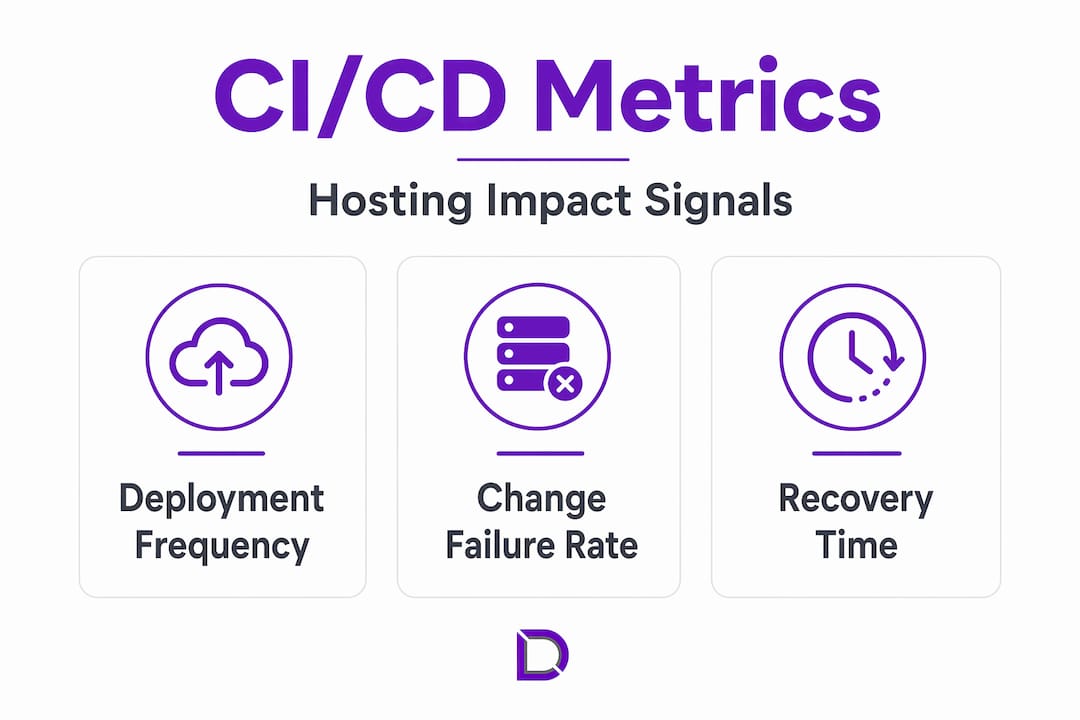
You cannot improve what you do not measure. The DORA metrics framework gives DevOps teams four signals that directly reflect whether a CI/CD pipeline is helping or hurting hosting stability.
| DORA metric | What it measures | Good benchmark |
|---|---|---|
| Deployment frequency | How often you deploy to production | Daily to multiple times per day |
| Lead time for changes | Time from commit to production | Less than one hour for elite teams |
| Change failure rate | Percentage of deployments causing production incidents | Under 5% for elite teams |
| Mean time to restore | Time to recover from a production failure | Under one hour |
Deployment frequency tells you how well your pipeline and hosting environment support rapid iteration. A frequency stuck at weekly or monthly often points to a deployment process too painful or risky to run often, which usually traces back to coupling issues between the CI/CD pipeline and the hosting environment.
Change failure rate is the metric most directly tied to hosting stability. A high failure rate means deployments are reaching production in a broken state, which can mean inadequate testing in CI, insufficient staging environments that mirror production hosting, or a CD stage that lacks proper rollback capability. Improving this metric almost always involves tightening the feedback loop between what CI validates and what the hosting environment actually needs to run the application.
Practical tips for implementing CI/CD across hosting setups
Implementation looks different depending on your hosting type. These steps apply across the most common scenarios DevOps practitioners encounter.
- Start with SSH key authentication. Whether you’re targeting shared hosting or a VPS, SSH keys are the foundation. Store the private key as an encrypted CI/CD secret and never hard-code credentials in pipeline configuration files.
- Use rsync for shared hosting deployments. Rather than deleting and re-uploading all files, rsync transfers only changed files over SSH, minimising the window where the site is in an inconsistent state. Shared hosting CI/CD via rsync reduces downtime significantly compared to FTP-based approaches.
- Separate your build and deploy jobs. Do not run deployment logic inside the same job that compiles your application. Keep them as distinct pipeline stages so a failed deploy does not invalidate a perfectly good build artifact.
- Implement environment-specific configuration injection. Hosting environments have different database credentials, API endpoints, and service URLs. Use CI/CD secrets or environment variable injection rather than bundling configuration into the artifact.
- Add a smoke test step after deployment. A simple HTTP health check against the deployed URL run from within the pipeline will catch the majority of broken deployments before monitoring alerts fire.
- For self-hosted runners, isolate the runner user. Self-hosted runners carry security risk in public repositories. Run the runner agent under a least-privilege OS user and restrict its network access to what deployment actually requires.
Pro Tip: If you are deploying to a cPanel-managed hosting environment, check whether your host supports Git version control through cPanel’s native tooling. It can serve as a simpler bridge than a full SSH-based pipeline for smaller projects. See the cPanel deployment guide at Com for practical steps.
Separating CI artifact production from CD environment reconciliation is the single most impactful architectural decision you can make in this space. It creates a clean contract between what your pipeline produces and what your hosting environment consumes.
My perspective on CI/CD and hosting
I’ve watched teams spend weeks building elaborate CI/CD pipelines only to treat the hosting environment as an afterthought. The pipeline compiles, tests, and produces a perfect artifact, then someone manually copies it to the server. That is not CI/CD. It is CI with manual delivery bolted on, which defeats the point entirely.
In my experience, the most persistent misconception is that CI/CD is only viable on cloud infrastructure. I’ve seen teams running solid automated deployments on shared hosting using nothing more than GitHub Actions, SSH keys, and rsync. It is not glamorous, but it ships reliably. The real question is never “Is my hosting cloud-native?” It’s “Does my hosting expose enough access for automation?”
What most practitioners overlook when connecting CI/CD to hosting is deployment governance. Treating CI as artifact production and CD as environment reconciliation creates audit trails, approval gates, and rollback capability that a single monolithic pipeline cannot provide. That separation also makes debugging dramatically easier. When production breaks, you want to know whether the artifact was wrong or whether the hosting environment received it incorrectly. Without that architectural boundary, those two failure modes look identical.
GitOps is where I see the clearest future for hosting-aware CD. The moment your hosting cluster follows a declared desired state rather than imperative deploy commands, you gain a category of confidence in production that no amount of manual monitoring can replicate.
— James
Hosting built for modern deployment workflows
If you’re building CI/CD pipelines that need a reliable, automation-friendly place to land, Com’s web hosting plans are worth a close look. Designed with SSH access, cPanel integration, and scalable architecture, they give DevOps teams the access points their pipelines need without the overhead of managing cloud infrastructure from scratch.

Com also provides domain management services that fit into a complete deployment strategy, covering everything from DNS propagation to subdomain configuration for staging environments. For Australian businesses and DevOps teams that want local support rather than a ticket queue, Com’s personalised service makes a practical difference when deployment issues need resolving fast. Explore the full hosting range to find the configuration that matches your pipeline’s requirements.
FAQ
What is CI/CD in the context of hosting?
CI/CD refers to the automated pipeline that builds, tests, and deploys application code to a hosting environment. Microsoft defines CI/CD as automated integration and build on every commit, followed by deployment to staging and production targets.
Can CI/CD work on shared hosting?
Yes. CI/CD on shared hosting is achievable using GitHub Actions with SSH key authentication and rsync to transfer changed files directly to the web root, avoiding the need for cloud infrastructure.
What are the benefits of CI/CD in hosting environments?
The main benefits are faster, more reliable deployments with reduced manual intervention. CI/CD catches errors before they reach production, supports rollback capability, and gives teams measurable indicators like deployment frequency and change failure rate through DORA metrics.
What is GitOps and how does it relate to CI/CD and hosting?
GitOps is a model where a hosting environment continuously reconciles itself against a desired state stored in a Git repository. CD controllers like ArgoCD watch manifest repositories and apply changes automatically, separating artifact production from environment management.
What hosting type works best with a CI/CD pipeline?
The best hosting type is the one that exposes automation-friendly access, whether that is an API, SSH, or a self-hosted runner. Cloud platforms offer the most native support, but any hosting with SSH access can support a functional CI/CD pipeline with the right tooling choices.
Leave a Reply