




Managed hosting is a service model where the provider takes full responsibility for the day-to-day technical management of your hosting environment, covering server configuration, security patching, performance monitoring, backup management, and troubleshooting. Unlike basic shared hosting, where you handle most technical tasks yourself, managed hosting transfers that operational burden to a team of infrastructure specialists. The result is that your business retains control of its applications and content while the provider owns the health and security of the underlying infrastructure. For Australian businesses and entrepreneurs weighing their options, understanding what managed hosting services actually include is the difference between choosing a plan that fits and paying for one that falls short.
What does managed hosting include as standard?
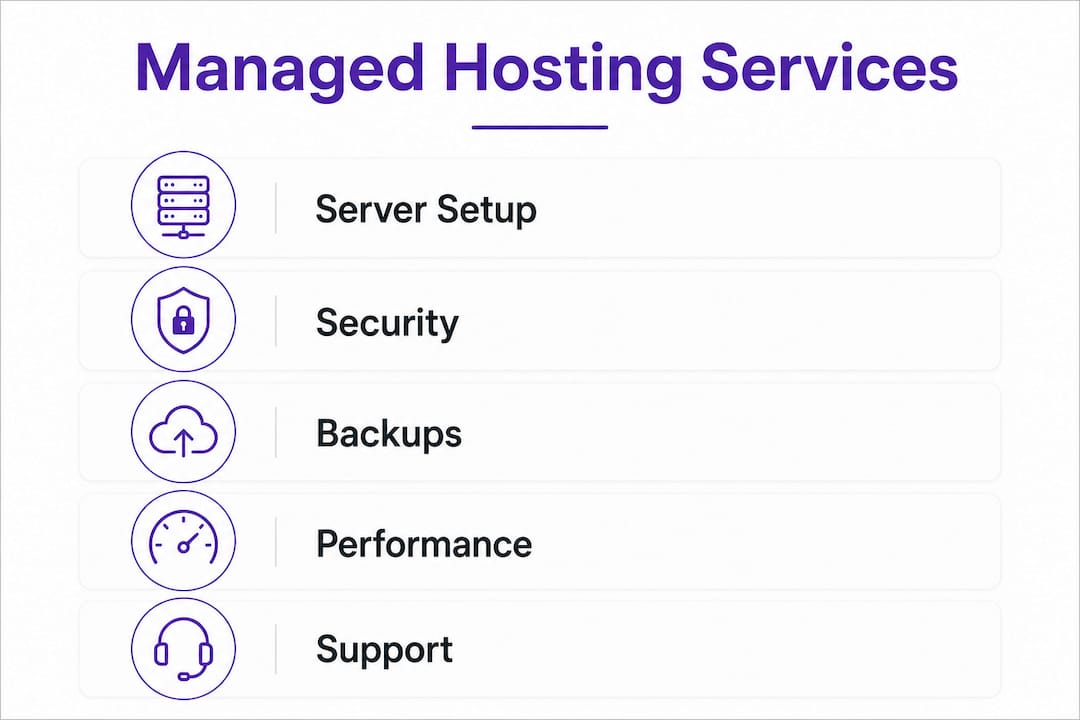
Managed hosting includes a defined bundle of technical services that keep your website or application running reliably without requiring in-house server expertise. Providers handle proactive maintenance and system health monitoring as core deliverables, not optional add-ons. The specific services vary between providers, but the following components appear across quality managed plans.
Server configuration and maintenance
The provider configures your server environment to match your application requirements and applies operating system updates and patches on a scheduled basis. This removes the risk of running outdated software that attackers actively target.

Security hardening and threat management
Operational security controls include DDoS protection, intrusion detection systems, malware scanning, and rapid patch deployment. Providers apply a defence-in-depth strategy, meaning multiple overlapping protections rather than a single firewall. This is the layer most businesses cannot replicate cost-effectively on their own.
Backup management
Backups are frequently included as daily or more frequent snapshots, with off-site storage and fast restore capabilities. Some providers offer on-demand restore points and snapshot testing before major updates. For a small business, this alone justifies a significant portion of the cost of managed hosting plans.
Performance optimisation
Providers optimise platform-specific setups such as WordPress with Redis caching, Varnish, and CDN integration. Database tuning and server-level caching are configured for you, removing the need to understand complex infrastructure settings. If you run a WordPress site, this kind of server-level tuning can meaningfully reduce page load times.
24/7 monitoring
Uptime, resource usage, and performance metrics are monitored continuously. Alerts trigger automated responses or human intervention before issues escalate into outages.
Engineer-level technical support
Support teams handle complex issues such as SSL configuration, performance bottlenecks, and infrastructure-level troubleshooting. This goes well beyond the account-level help you receive with entry-level hosting plans.
Pro Tip: Ask any managed hosting provider for a written list of what is explicitly included and excluded in their plan before signing. Vague descriptions like “security included” can mean anything from a basic firewall to a full intrusion detection programme.
How does managed hosting handle security and disaster recovery?
Security and disaster recovery are where managed hosting separates itself most clearly from unmanaged alternatives. A quality provider operates a layered security posture rather than relying on a single control.
- Firewall and perimeter defence. Network-level firewalls block unauthorised traffic before it reaches your application. Web application firewalls (WAFs) add a second layer specifically for HTTP-based attacks.
- Patch management. The provider deploys OS and software patches on a defined schedule, often within hours of a critical vulnerability being published. Businesses running unmanaged servers frequently fall behind on patching, which is one of the most common entry points for attackers.
- Malware scanning and vulnerability audits. Regular automated scans detect injected code, suspicious file changes, and known vulnerabilities. Some providers run quarterly manual audits on top of automated tooling.
- Backup verification and disaster recovery planning. Backup existence alone does not guarantee effective disaster recovery without tested restores. A provider should confirm backup frequency, secure off-site retention, and realistic restore times that align with your recovery time objective (RTO).
- Incident response. When a security event occurs, the provider’s team investigates, contains, and remediates. The SLA should define response timelines for security incidents specifically, not just general support tickets.
Pro Tip: Before committing to a plan, ask the provider to walk you through a simulated restore. If they cannot demonstrate a tested restore process with a clear time estimate, treat that as a red flag regardless of what the marketing materials say. For more detail on what to check, see this guide on backing up your website.
What should a managed hosting SLA actually cover?
A service-level agreement (SLA) is the contractual foundation of any managed hosting relationship. SLAs typically cover uptime, response, and resolution times with incident severity classification, escalation paths, and defined timelines. Reading one carefully before signing is not optional.
The table below outlines the key SLA components and what to look for in each.
| SLA component | What to look for |
|---|---|
| Uptime guarantee | 99.9% uptime allows roughly 8.7 hours of downtime per year. Confirm whether scheduled maintenance is excluded from this calculation. |
| Response time | The time from when you log a ticket to when a technician acknowledges it. This is not the same as the problem being fixed. |
| Resolution time | The time to fully resolve an incident. Response time differs from resolution, and businesses should confirm both plus escalation paths. |
| Severity classification | Defines what counts as critical, major, or minor. A site outage should be classified as critical with the fastest response tier. |
| Credits and penalties | What compensation applies if the provider misses SLA targets. Credits are common, but confirm the claim process is practical. |
| Downtime definition | Some providers define downtime narrowly. Confirm whether partial outages or degraded performance count. |
The most common SLA pitfall is assuming that a high uptime percentage means fast support. A provider can meet a 99.9% uptime guarantee while still leaving you waiting hours for a response to a critical incident. Scrutinise SLA definitions carefully, particularly around maintenance exclusions and the practical meaning of each severity tier.
Is managed hosting the right fit for your business?
Managed hosting suits businesses that want reliable infrastructure without building an internal IT team. The decision comes down to matching the scope of included services against your actual requirements.
- Assess your technical capacity. If no one in your business can confidently manage server updates, security patching, or performance tuning, managed hosting fills that gap directly. The provider accountability model means infrastructure health is owned by specialists, not left to chance.
- Evaluate support responsiveness. Ask for average response times and check whether support is available 24/7 or only during business hours. For businesses operating outside standard hours or serving customers across time zones, round-the-clock support is non-negotiable.
- Check platform compatibility. Confirm the provider has specific experience with your platform, whether that is WordPress, Magento, or a custom application. Generic managed hosting and platform-optimised managed hosting deliver very different performance outcomes.
- Understand the pricing model. Managed hosting costs more than shared hosting because it includes labour and expertise. The cost of managed hosting plans is predictable, which helps with budgeting. Compare this against the hidden cost of downtime, security incidents, or hiring a developer to fix server-level issues reactively. For a practical comparison of hosting types, the shared vs dedicated hosting guide is worth reading before you decide.
- Review scalability options. Your hosting needs will grow. Confirm the provider can scale resources up without requiring a full migration to a new plan or platform.
- Consider the benefits for resource-constrained businesses. Australian SMEs in particular often operate without dedicated IT staff. Managed hosting gives those businesses access to enterprise-grade infrastructure management at a fraction of the cost of hiring in-house. This is the core reason managed hosting enables businesses to focus on growth rather than server administration.
The features of managed hosting are most valuable when your business treats its website as a revenue-generating asset rather than a static brochure. If downtime costs you customers or damages your reputation, the investment in managed hosting is straightforward to justify.
Key takeaways
Managed hosting delivers the most value when the provider’s scope of services, SLA terms, and security controls are verified before signing, not assumed from marketing descriptions.
| Point | Details |
|---|---|
| Core services included | Managed hosting covers server maintenance, security, backups, performance optimisation, monitoring, and engineer-level support. |
| Backup reliability | Confirm backup frequency, off-site retention, and tested restore times to ensure backups actually support disaster recovery. |
| SLA clarity matters | Response time and resolution time are different. Verify both, plus severity classifications and escalation paths, before committing. |
| Security depth | Quality providers use layered controls including DDoS protection, malware scanning, patch management, and incident response. |
| Business fit | Managed hosting suits businesses without in-house IT capacity and those treating their website as a revenue-critical asset. |
Why I think most businesses underestimate what managed hosting actually delivers
James here. After years of working with Australian businesses on their web infrastructure, the pattern I see most often is this: a business owner compares managed hosting to shared hosting on price alone, decides managed hosting is too expensive, and then spends three times the annual cost difference dealing with a single security incident or extended outage.
The real value of managed hosting is not the feature list. It is the transfer of accountability. When your provider owns the infrastructure’s health, you are not the one getting a call at 11pm because the server went down. You are not the one trying to figure out whether a suspicious file in your WordPress directory is malware or a legitimate plugin. That shift in responsibility has a dollar value that most businesses only recognise after they have experienced the alternative.
What I tell every business owner I work with is to focus on three things when evaluating a managed hosting provider: the specificity of their SLA, the quality of their backup and restore process, and whether their support team actually understands your platform. A provider who can answer detailed questions about your stack confidently is worth paying more for. One who gives vague answers about “security included” is not.
Australian SMEs have a genuine competitive advantage when they choose infrastructure partners who understand local business needs and provide responsive, knowledgeable support. That is not a small thing. It is the difference between a website that works reliably and one that becomes a recurring problem.
— James
Explore managed hosting with Com
Com offers managed web hosting solutions built specifically for Australian businesses, with local support and infrastructure management handled by people who understand what your business needs to stay online and perform well.

Whether you are launching a new site or moving away from a plan that is not delivering, Com’s team can walk you through the right web hosting options for your situation. From security and backups to performance and support, every plan is designed to remove the technical burden so you can focus on running your business. Reach out to the Com team for a straightforward conversation about what your business actually needs, with no pressure and no jargon.
FAQ
What does managed hosting include as standard?
Managed hosting typically includes server configuration, OS patching, security hardening, 24/7 monitoring, backup management, performance optimisation, and engineer-level technical support. The exact scope varies by provider, so always request a written list of inclusions before signing.
Does managed hosting include backups?
Most managed hosting plans include daily backups with off-site storage and restore capabilities, but backup quality varies significantly. Confirm backup frequency, retention period, and tested restore times to verify the backup actually supports your recovery needs.
How is managed hosting different from shared hosting?
Shared hosting provides server space with minimal management, leaving technical tasks to you. Managed hosting includes active management of security, updates, performance, and support by the provider, making it suited to businesses that cannot or do not want to handle infrastructure themselves.
What should I look for in a managed hosting SLA?
Look for clearly defined uptime guarantees, separate response and resolution time commitments, incident severity classifications, escalation paths, and a practical credits process. Confirm whether scheduled maintenance counts against uptime and how the provider defines a critical incident.
Is managed hosting worth the cost for a small business?
For businesses without in-house IT staff, managed hosting replaces the cost and risk of managing infrastructure reactively. The predictable monthly cost of a managed plan is typically lower than the combined cost of a single security incident, extended downtime, or emergency developer fees.
Leave a Reply